
About 6 minutes
How to set up IPTV on a MAG box
MAG boxes do not use a username and password. You send us the MAC address printed on the box and we activate your line against it.
These steps are the same on a 250, a 322, a 420 or anything in between.
Before you start
Do these 3 things first or the portal will not load.
- 1
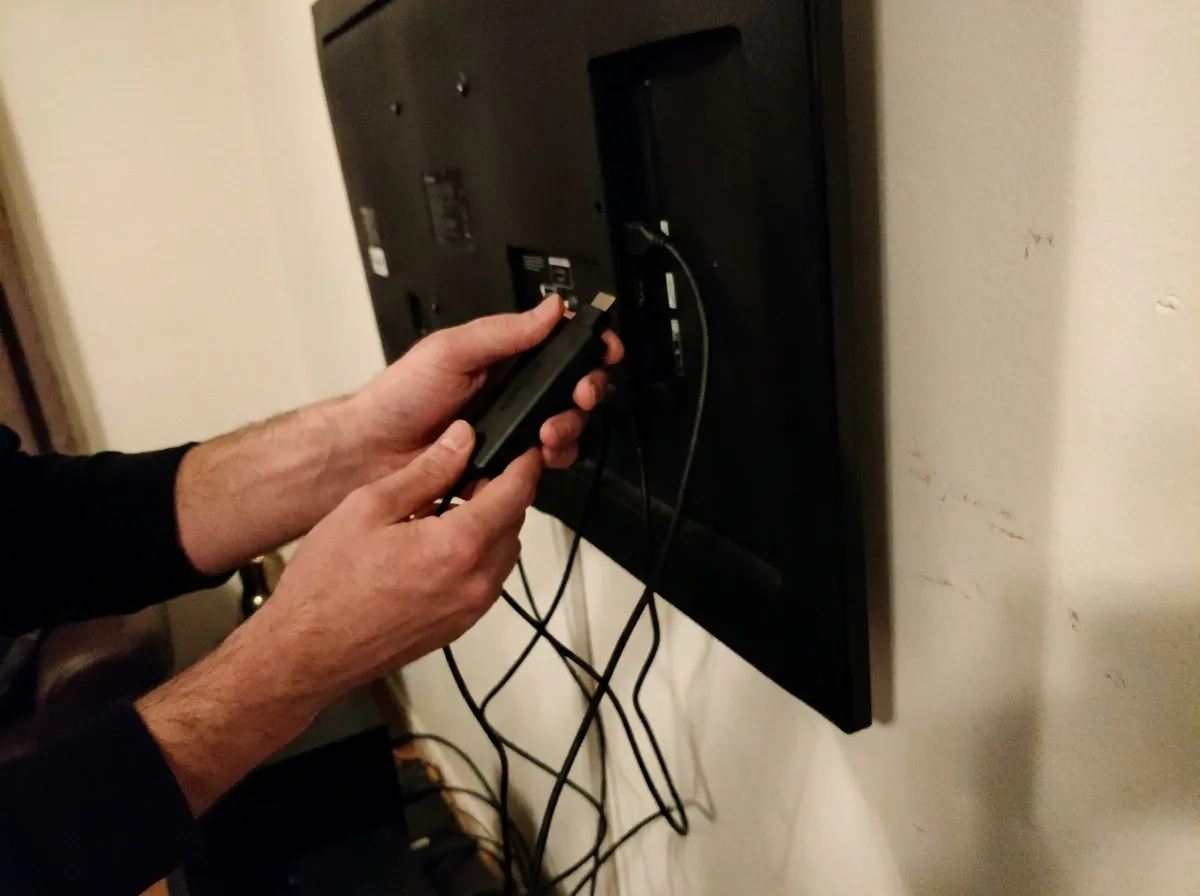
Connect the box to your TV
Plug the HDMI cable into the television and select the matching HDMI source on your TV.
- 2
Connect the box to the internet
Connect the MAG box to your Wi-Fi or plug in an ethernet cable before you start. Nothing below works without a connection.
Note: Ethernet is far more stable than Wi-Fi on a MAG box. Use it if you can reach a cable.
- 3
Send us your MAC address
The MAC address is on a sticker on the back of the box and starts with 00:1A:79. Send it to us on WhatsApp with your order so we can activate you.
Note: A photo of the sticker is fine. It avoids typing mistakes and this is the step people get wrong.
Enter the portal
Once we confirm your line is active, set the portal on the box.
- 1
Open Settings
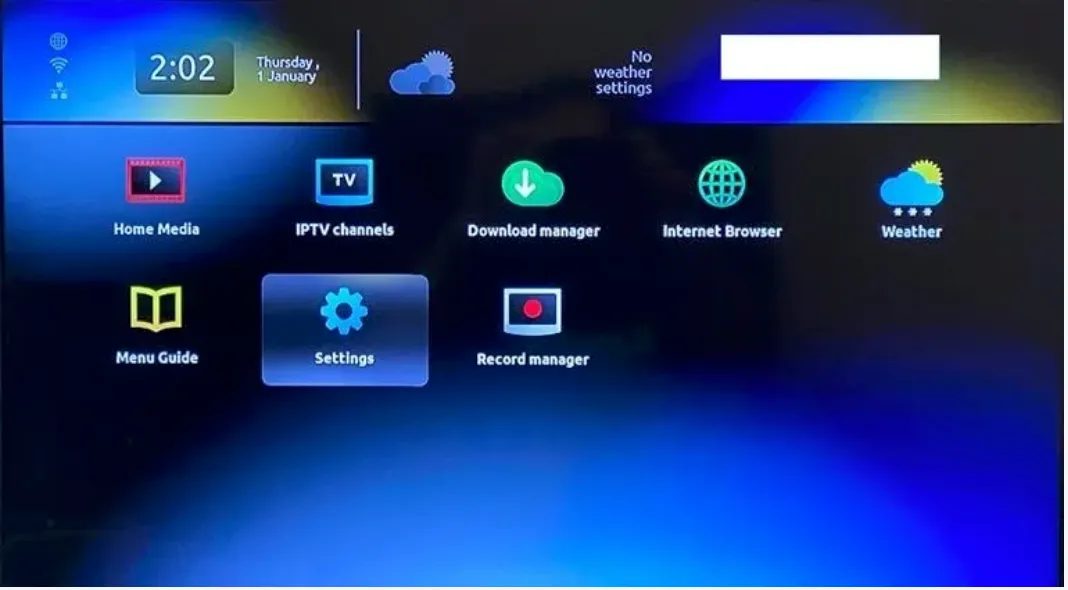
From the MAG home screen, select Settings.
- 2
Open System settings
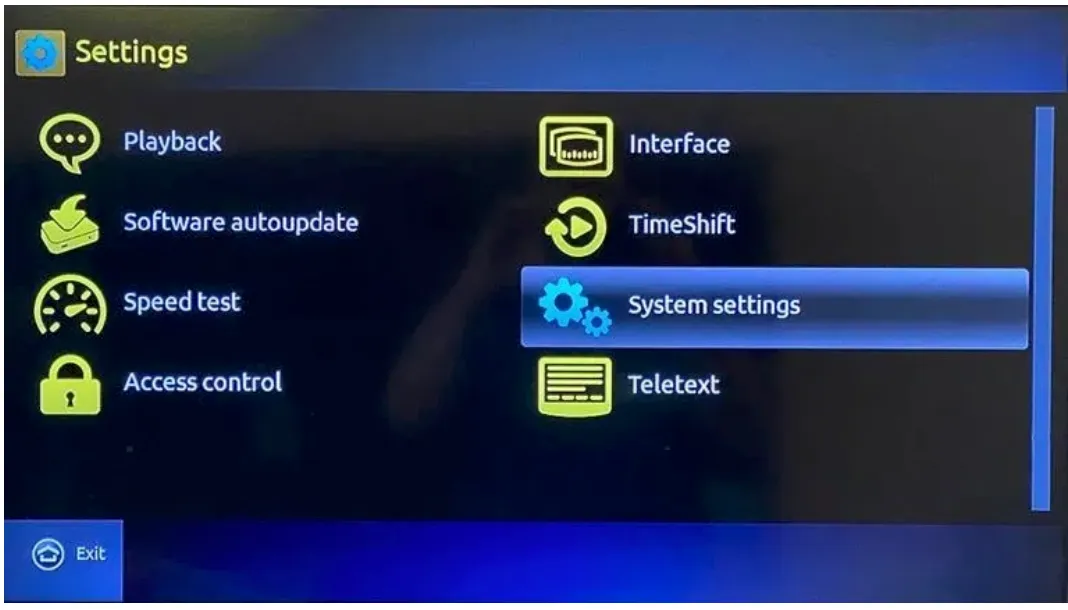
Inside Settings, select System settings.
- 3
Open Servers and then Portals
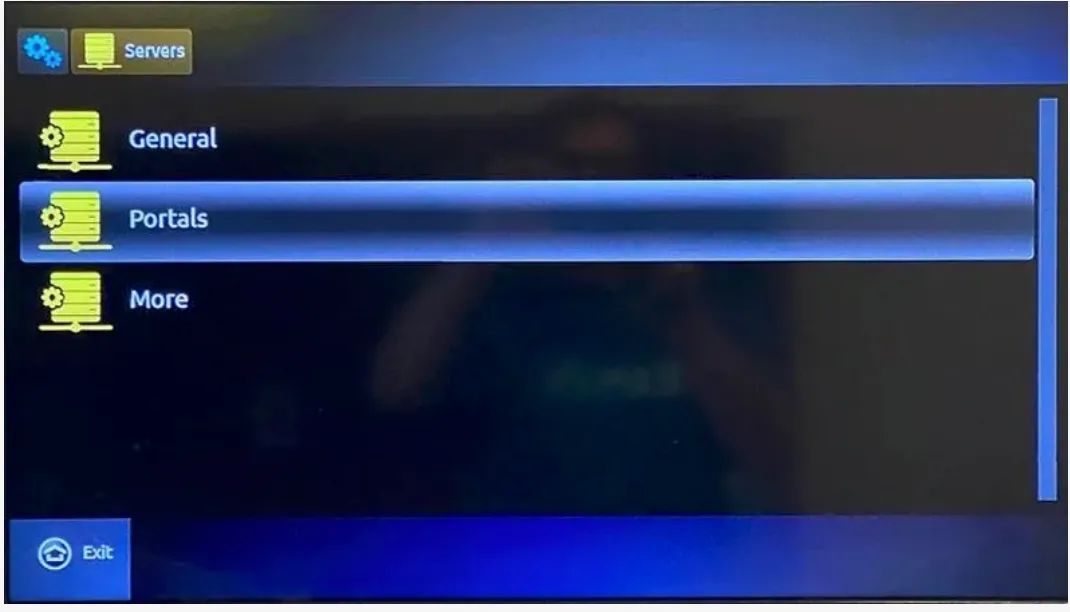
Select Servers, then select Portals.
- 4
Enter the portal name and URL
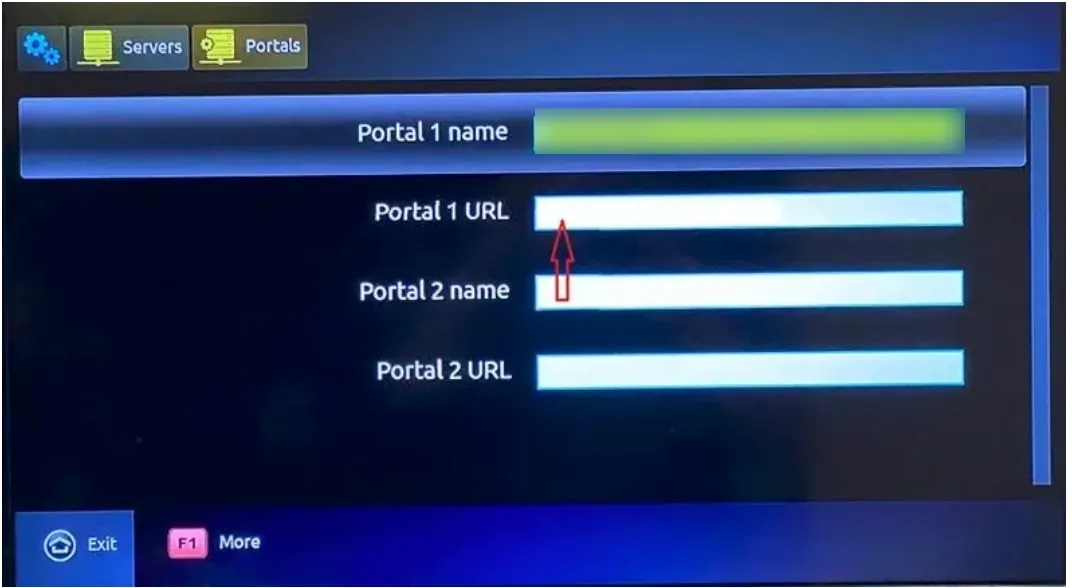
Put NoraStream in the Portal 1 name field. Put the portal address we sent you in the Portal 1 URL field. Save it.
- 5
Restart the box
Pull the power for 10 seconds and plug it back in. The portal loads on startup and your channel list appears.
- 6
Set the video output
In settings, set the resolution to match your television. Most people want 1080p. Setting it higher than the TV supports gives you a blank screen.
Stuck at any step?
Message us on WhatsApp while you are in front of the TV and we will get you through it. Most calls take 2 minutes.
WhatsApp 437 979 2576Problems and fixes
The portal will not load
9 times out of 10 this is a wrong MAC address. Send us a photo of the sticker rather than typing it out and we will recheck.
The box keeps rebooting
MAG boxes are sensitive to underpowered adapters. If you are using a replacement power supply, try the original one.
Everything is slow to change channels
MAG hardware is older than most streaming sticks. A wired ethernet connection makes the biggest difference here.
Should I buy a MAG box in 2026
Honestly no. A Fire Stick or an Android box costs less and performs better. MAG boxes are worth keeping if you already own one.
Guides for other devices
Not a customer yet?
2 days free with no card. Your login and this exact guide arrive by email within 5 minutes.