
About 5 minutes
How to set up IPTV on iPhone, iPad or Apple TV
Apple devices are the quickest setup of the lot. The app is a normal App Store download with nothing to sideload.
This covers iPhone, iPad and Apple TV. You can also watch on the phone and send the picture to a television with AirPlay.
StbEmuTV Pro on iPhone and iPad
StbEmuTV Pro is the app we hand out for Apple devices. It is a paid App Store download.
- 1
Download StbEmuTV Pro
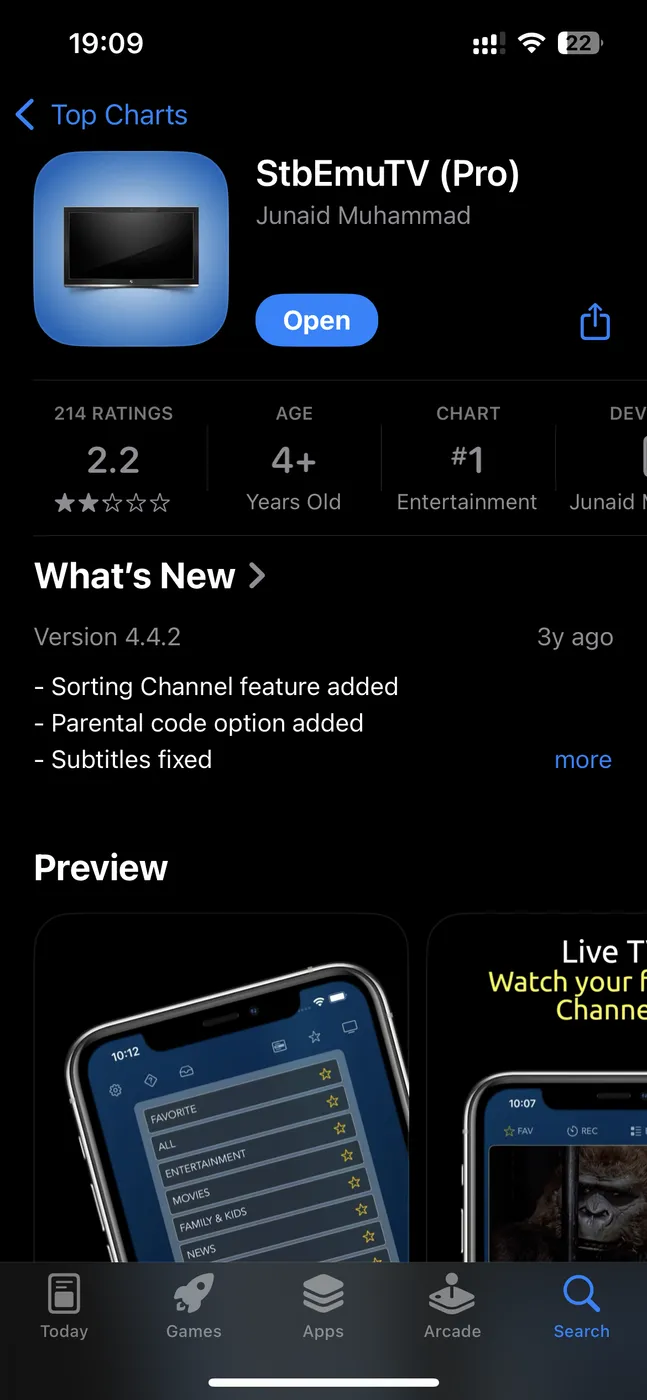
Open the App Store, search for StbEmuTV Pro and install it. Open it once it finishes.
- 2
Add a new portal and send us the MAC address
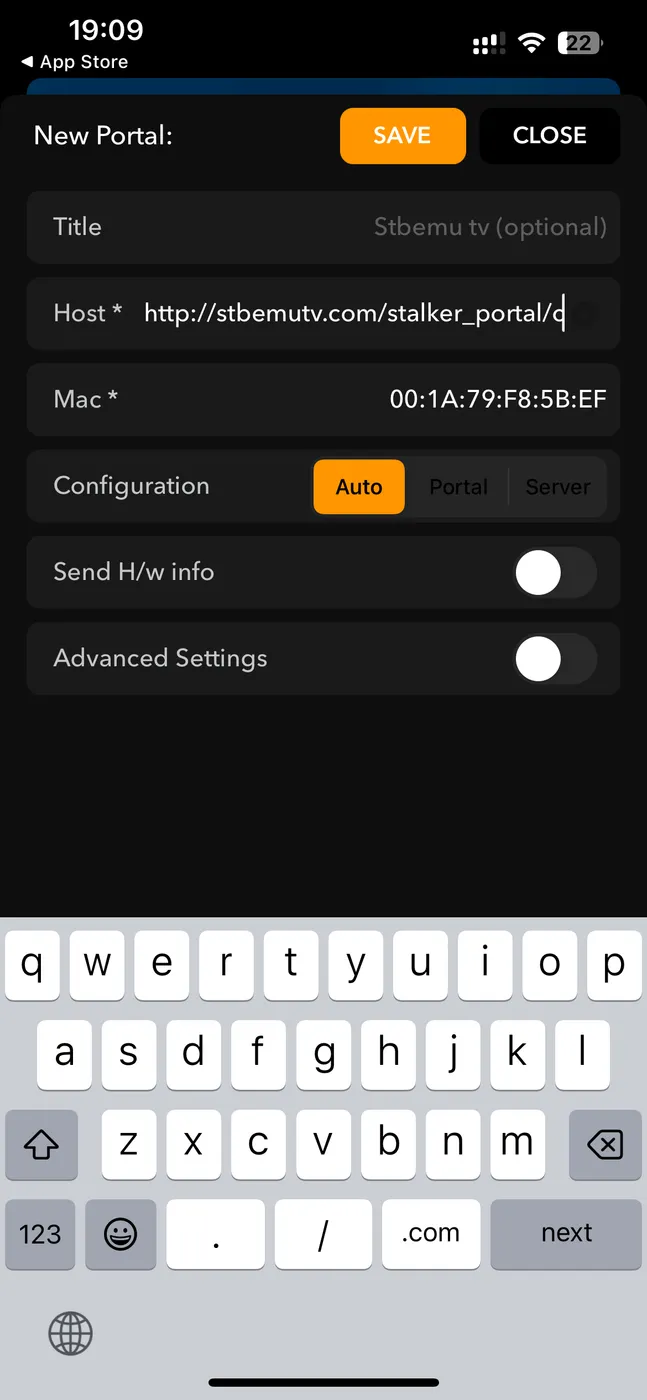
Tap the plus button to open the New Portal screen. Type the portal address we sent you into the Host field. The app fills in a MAC address for you. Send that to us on WhatsApp so we can activate your line, then tap Save.
Note: Leave Configuration on Auto unless we tell you otherwise.
- 3
Open your channels
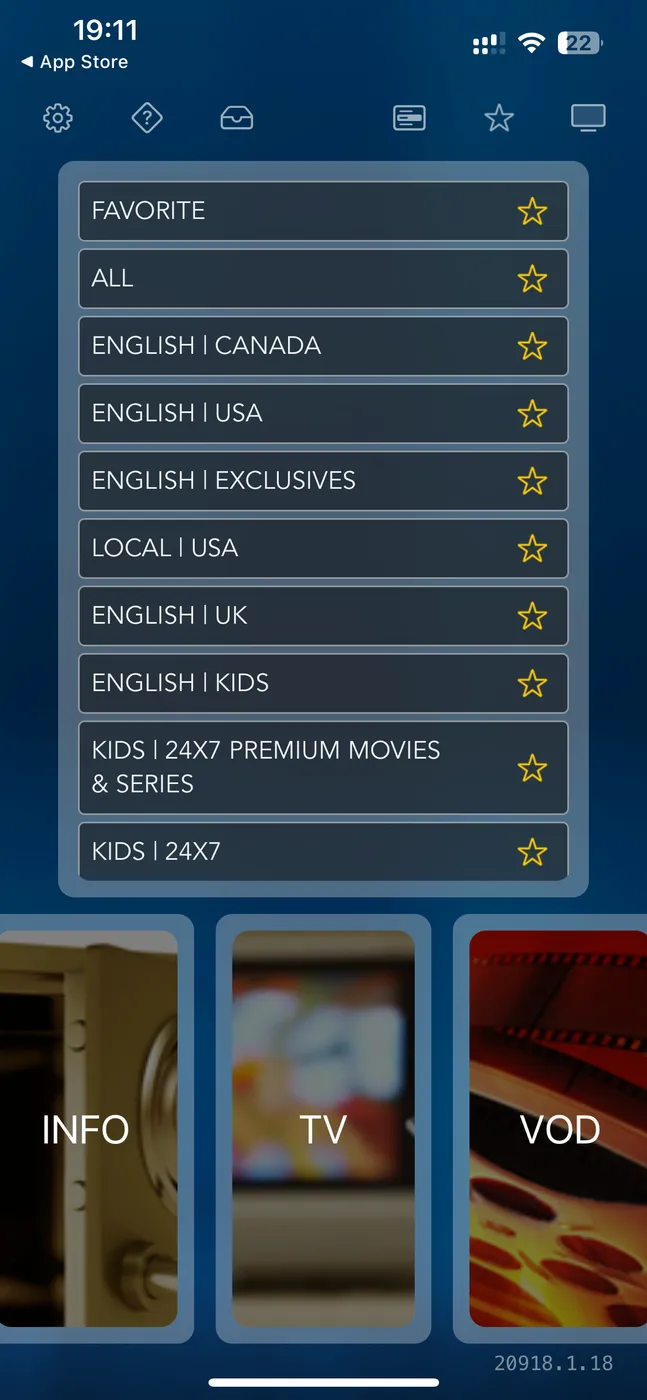
Reopen the portal and your channel list loads grouped by country and category. Tap the star to build a favourites list.
- 4
Send it to the TV with AirPlay
Start a channel, open Control Centre, tap Screen Mirroring and pick your Apple TV. The stream moves to the big screen.
Stuck at any step?
Message us on WhatsApp while you are in front of the TV and we will get you through it. Most calls take 2 minutes.
WhatsApp 437 979 2576Problems and fixes
It works on Wi-Fi but not on cellular
Check that the app is allowed to use mobile data in iPhone Settings. It is off by default on some apps.
AirPlay keeps dropping
AirPlay is sensitive to Wi-Fi quality. Keep the phone and the Apple TV on the same band, ideally 5GHz.
The video is fine but there is no sound
Some channels use an audio track the phone does not pick first. Open the audio track menu in the player and switch tracks.
The app drains my battery
Live video is heavy on any phone. Watch on the TV where you can and keep the phone plugged in for long matches.
Guides for other devices
Not a customer yet?
2 days free with no card. Your login and this exact guide arrive by email within 5 minutes.