About 10 minutes
How to set up IPTV on a Fire TV Stick
A Fire TV Stick is the cheapest way to get NoraStream on a television. You only do this once.
Pick one of the 2 apps below. TiviMate is the easier one. STB Emu suits you if you already know MAG boxes.
Option 1. TiviMate
TiviMate has the best guide and the cleanest layout. Install it with the Downloader app.
Downloader code
272483
Open Downloader on your Firestick, type this number and press Go.
Video walkthrough. Read the steps below if you would rather not watch.
- 1
Install the TiviMate app
Open Downloader, type the code above and install TiviMate. Once it is installed you are ready to begin setup.
- 2
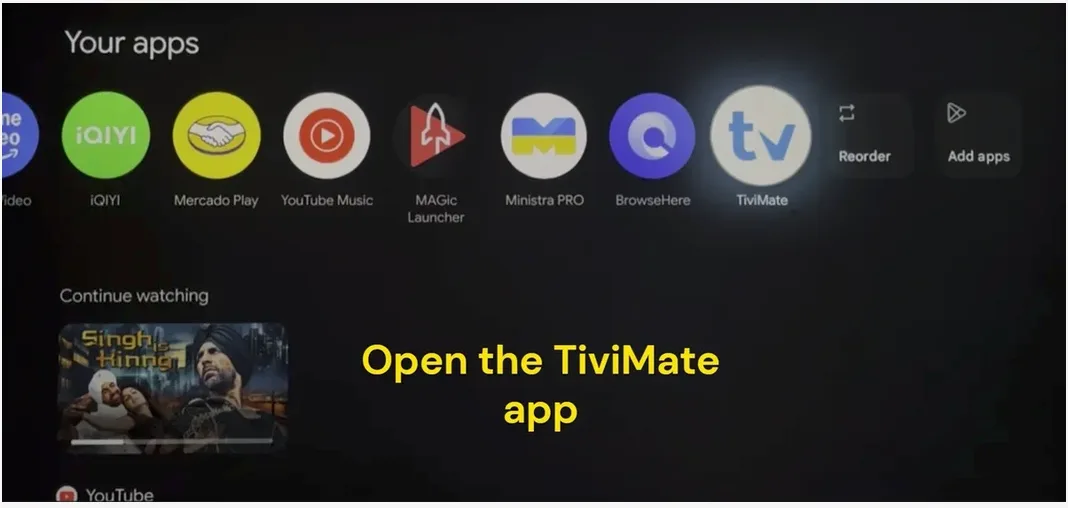
Launch the TiviMate app
Go to Your Apps and select the TiviMate icon to open it.
- 3
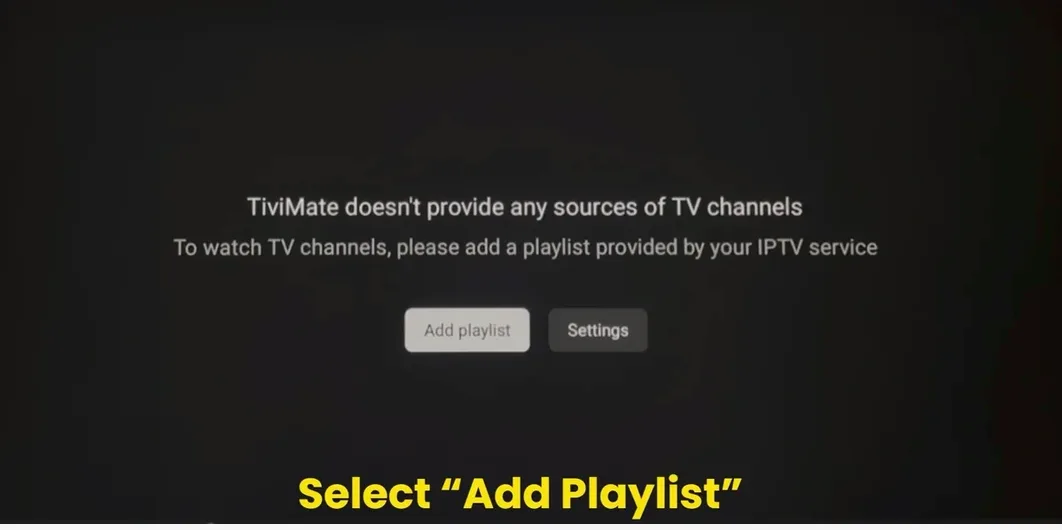
Click Add Playlist
When the app opens you will see a message saying no TV sources are available. Click Add Playlist.
- 4
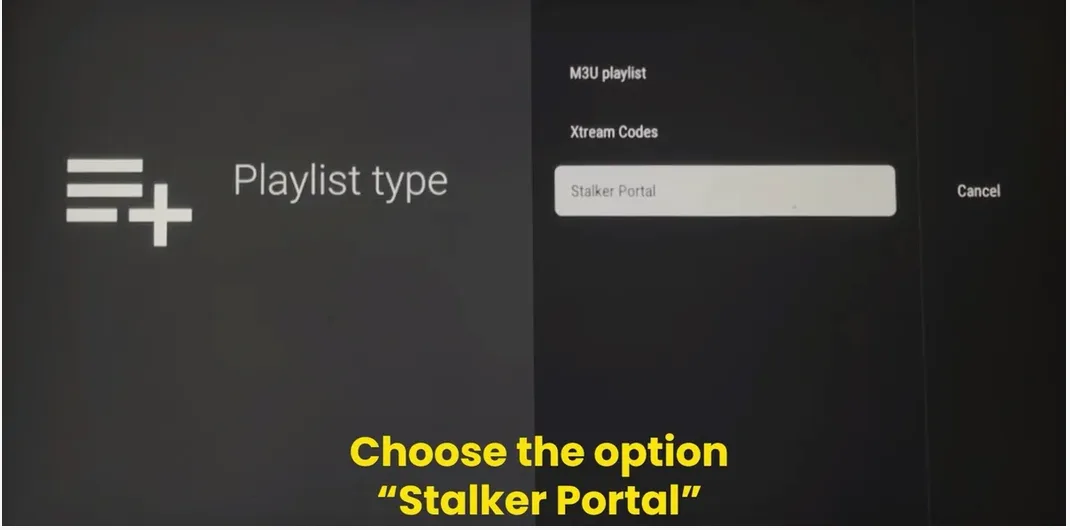
Select Stalker Portal
Choose Stalker Portal as your playlist type. This is what we use.
Note: If we sent you a username and password instead, choose Xtream Codes here.
- 5
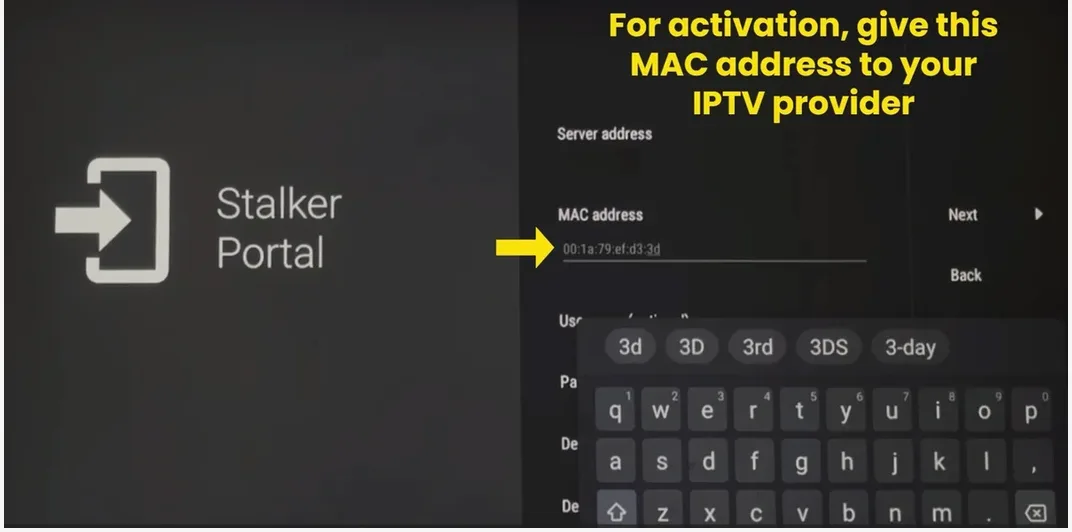
Send us your MAC address
Your MAC address is shown on this screen. Send it to us on WhatsApp so we can activate your line.
- 6
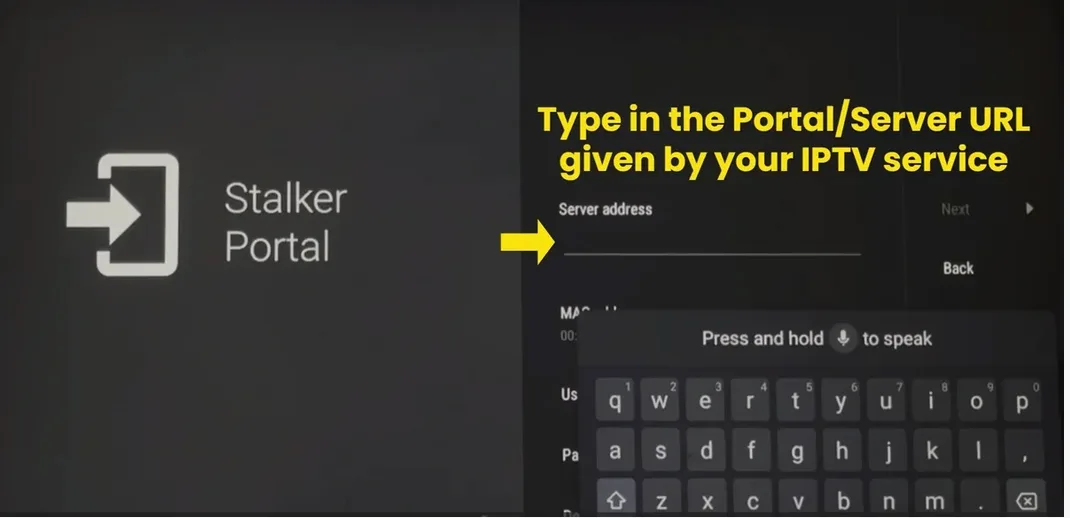
Enter the portal URL
Type in the portal address we sent you. Check the spelling before you move on.
- 7
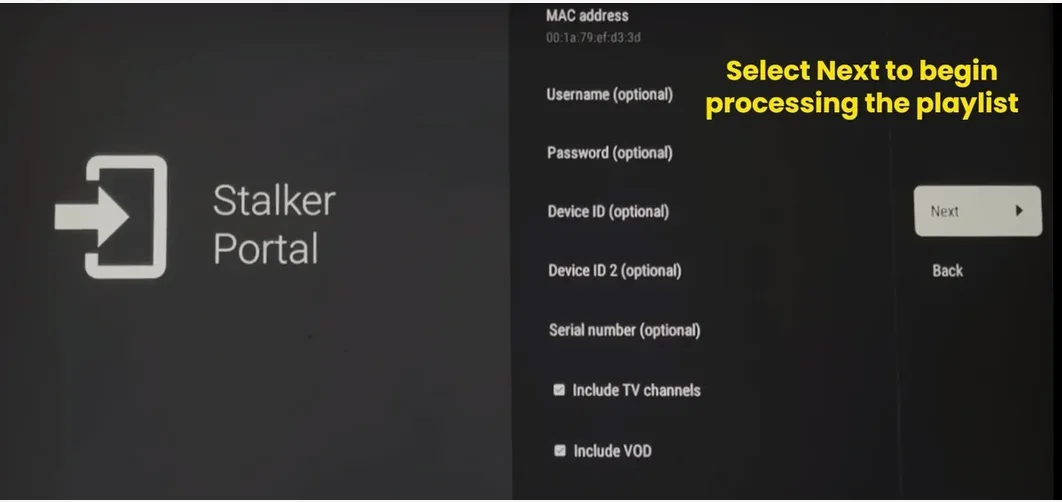
Click Next
Once the portal address and the MAC address are both in, click Next to process the playlist.
- 8
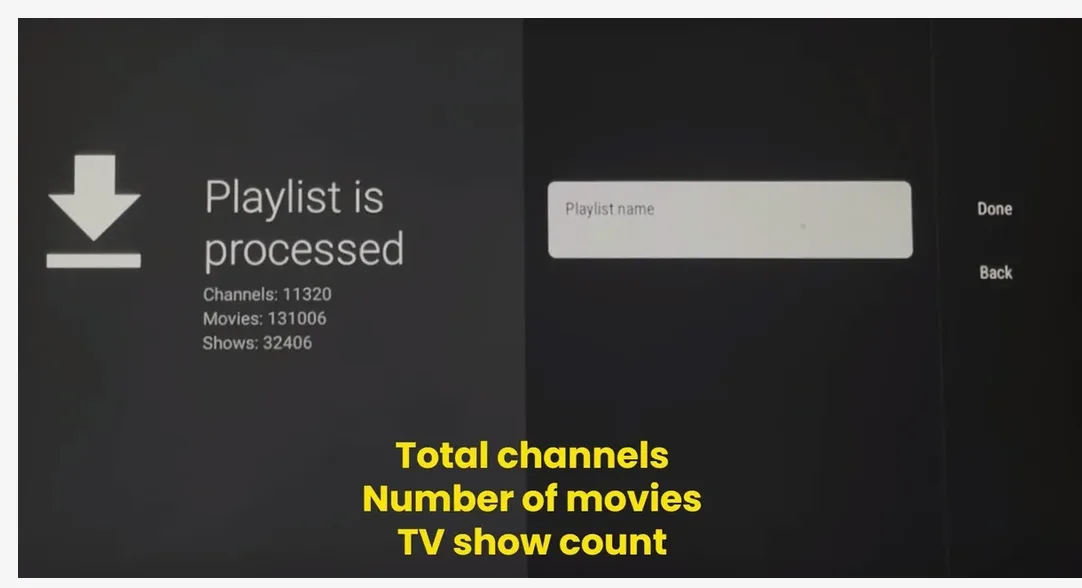
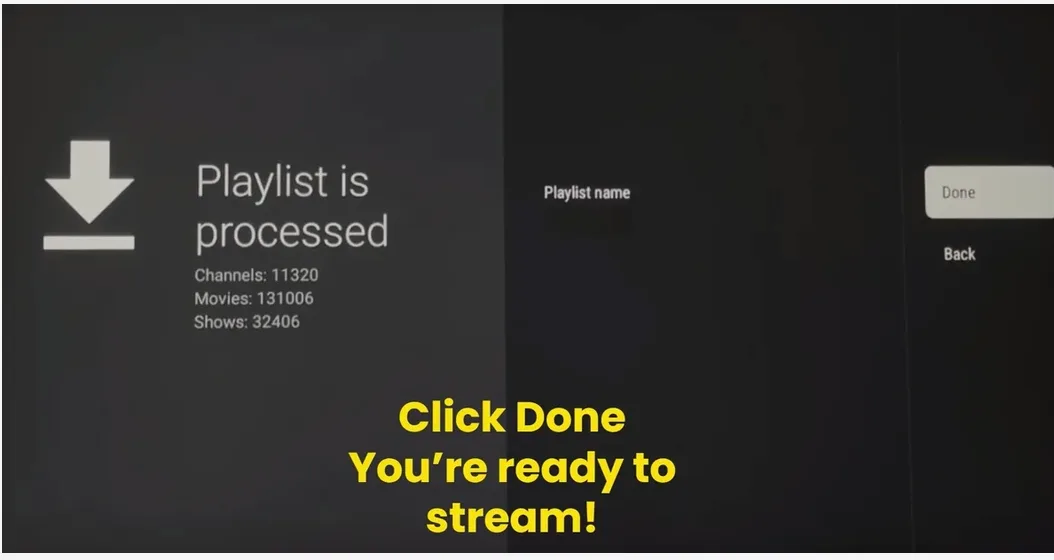
Wait for the playlist to process
TiviMate now loads your channels. It shows the channel count, the movie library and the TV show listings.
- 9
Click Done
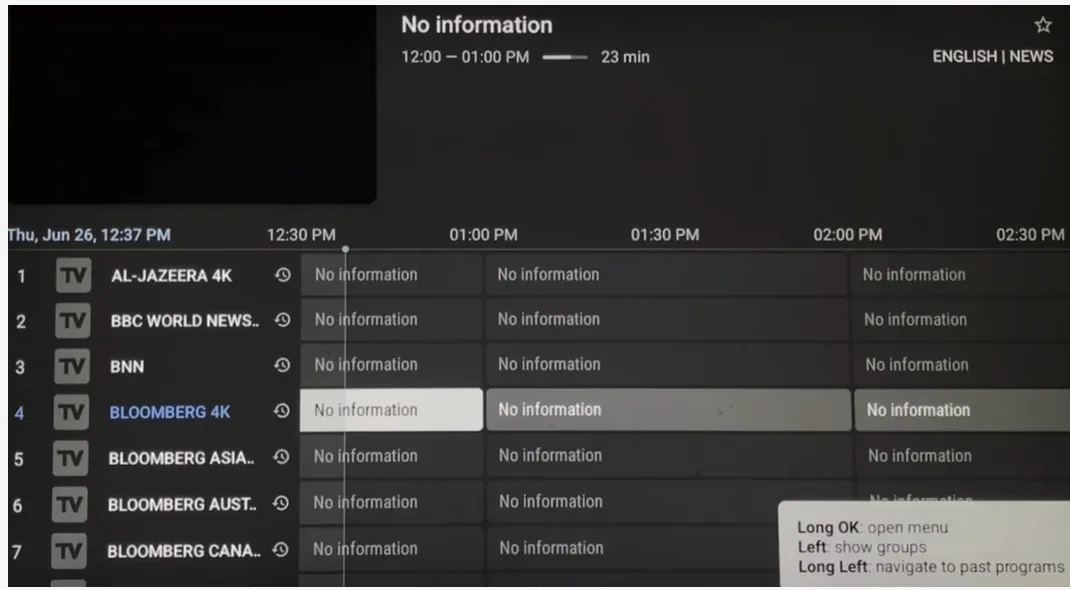
Click Done to finish. You will land on the full guide with every channel ready to watch.
- 10
You are ready to stream
This is the live guide. Long press any channel to add it to favourites.
Option 2. STB Emu
STB Emu turns the Firestick into a MAG box. Install it with the Downloader app.
Downloader code
9296200
Open Downloader on your Firestick, type this number and press Go.
Video walkthrough. Read the steps below if you would rather not watch.
- 1
Install STB Emu
Open Downloader, type the code above and install STB Emu. Open it once it finishes.
- 2
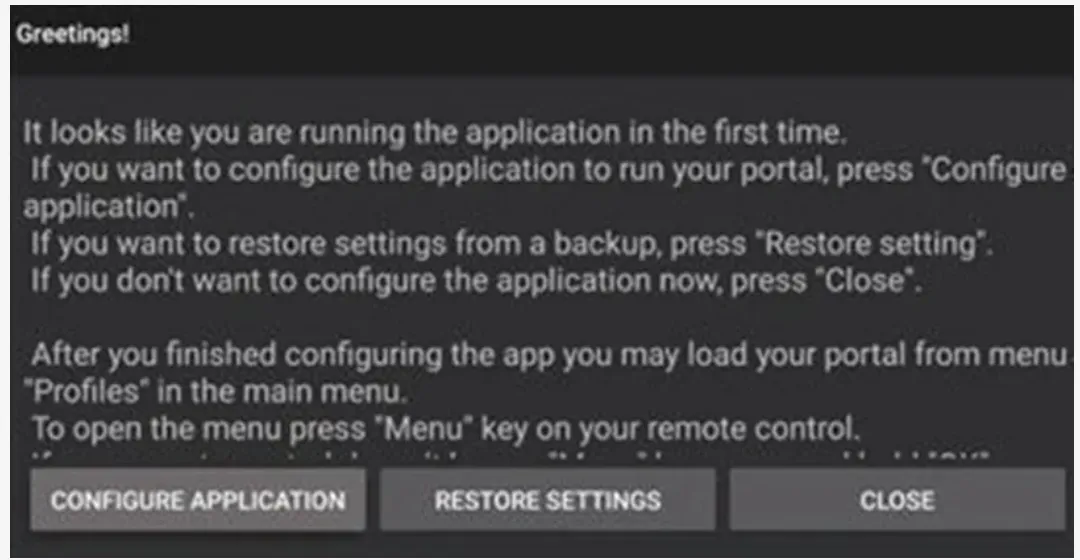
Open the first launch screen
The app opens with a greeting screen. Press Close because we will set the portal up from the menu.
Note: To open the menu at any time, press the Menu button on your remote. It is the button with 3 horizontal lines.
- 3
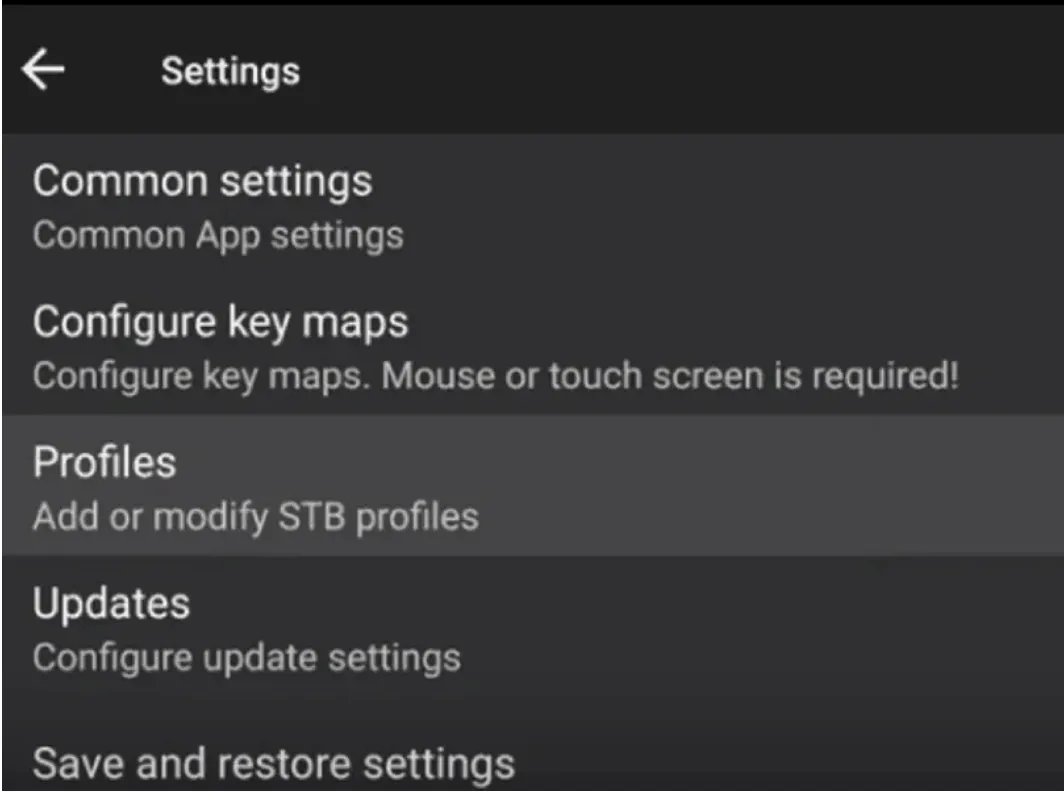
Open Settings and choose Profiles
Press the Menu button, open Settings and select Profiles. This is where your portal lives.
- 4
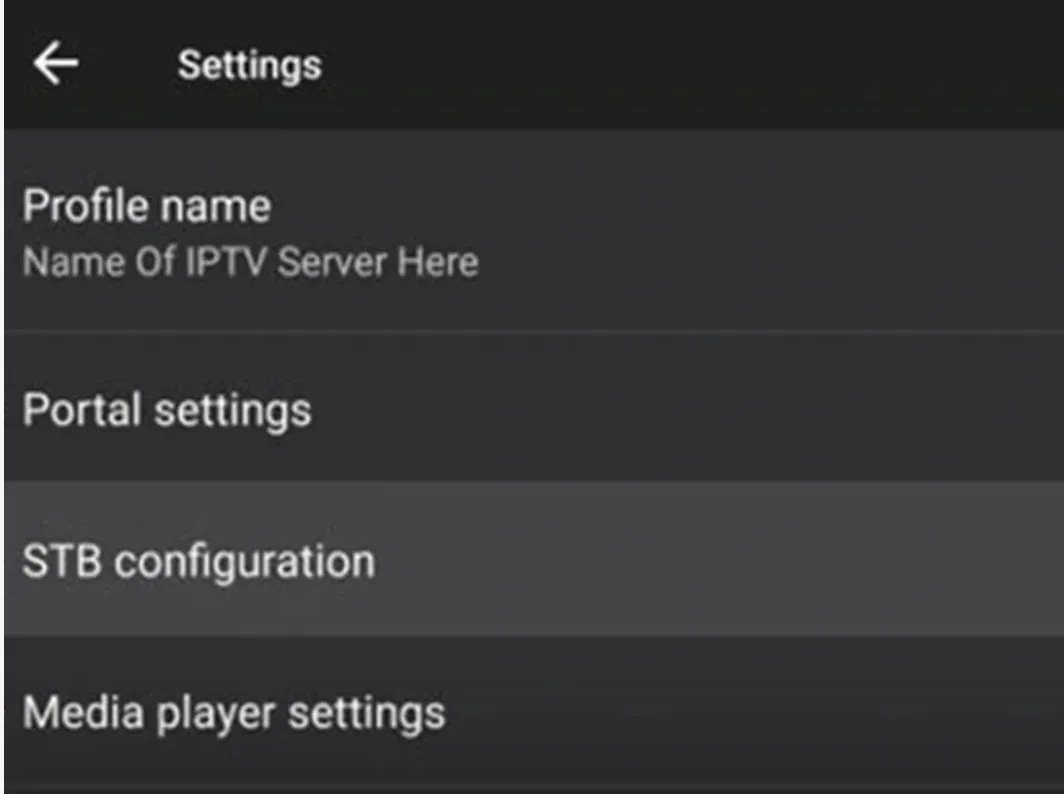
Open STB configuration
Inside your profile, select STB configuration.
- 5
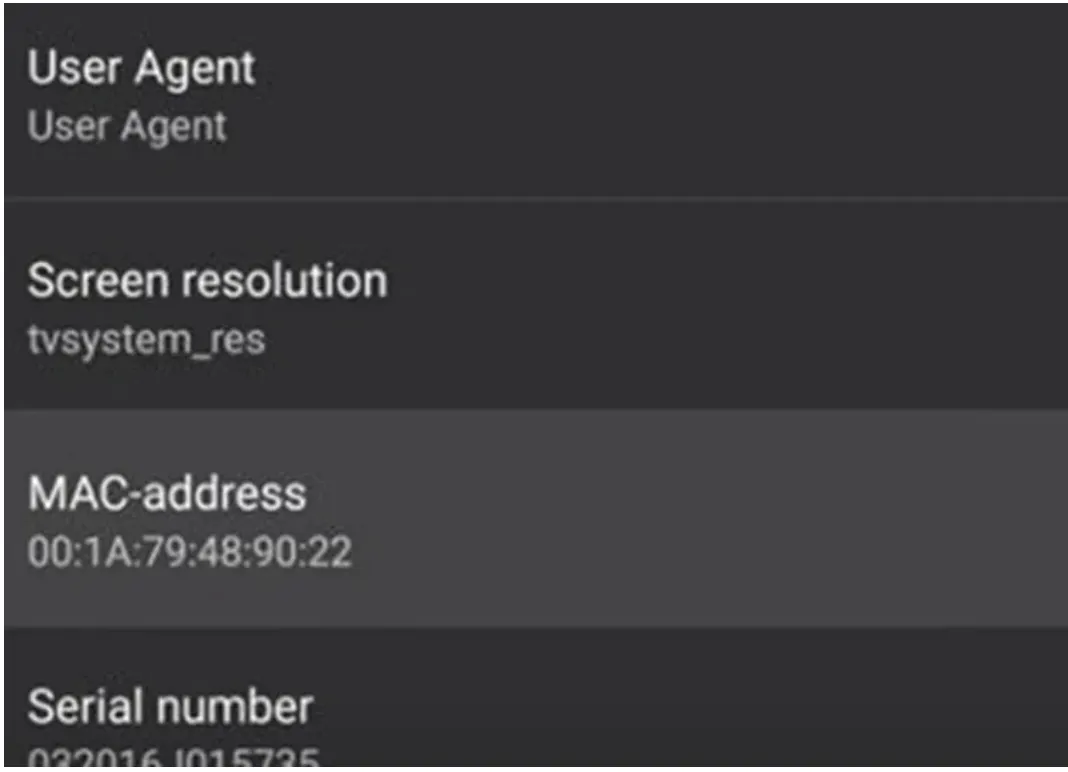
Send us your MAC address
Find the MAC address and send it to us on WhatsApp. It starts with 00:1A:79. We activate your line against that address.
- 6
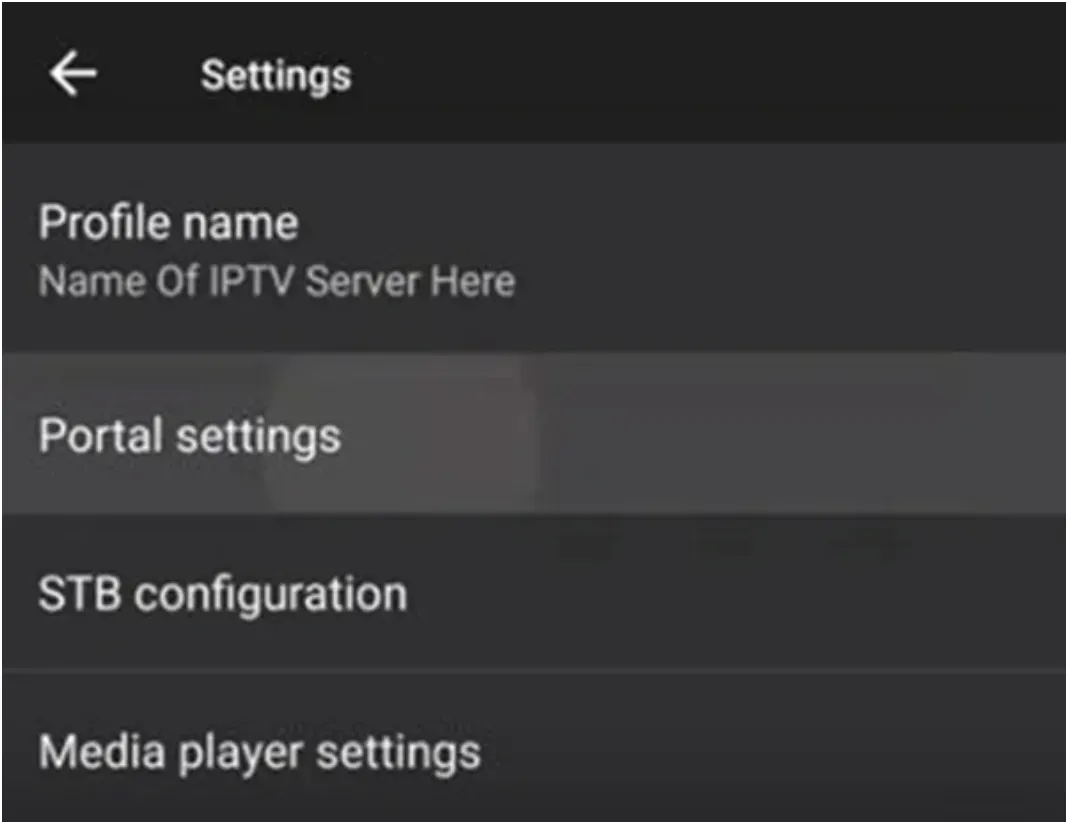
Go back and open Portal settings
Press back to return to the profile menu, then select Portal settings.
- 7
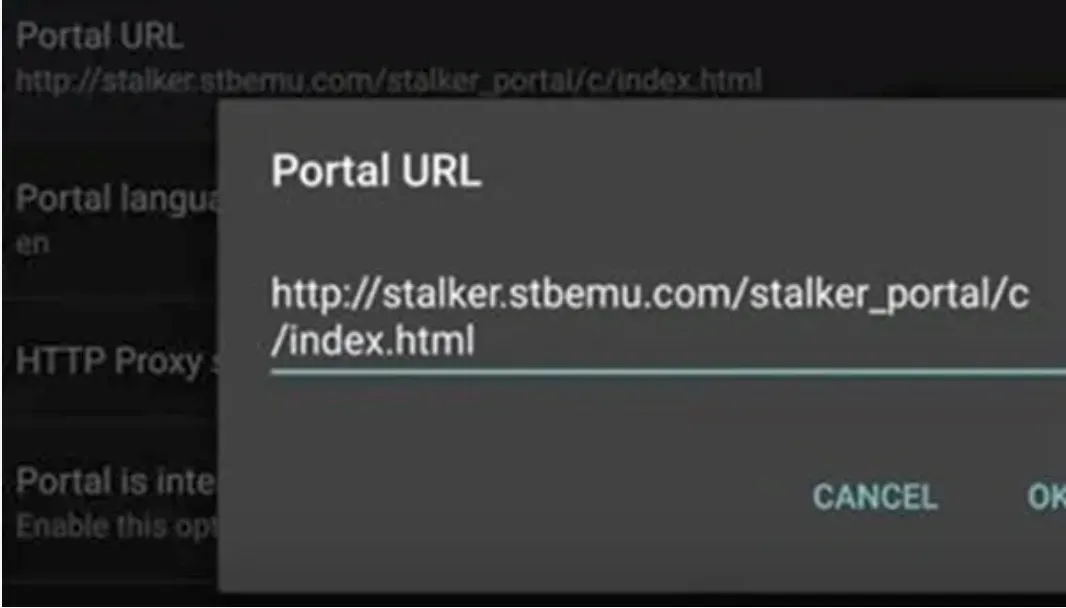
Enter the portal URL
Select Portal URL and type the address we sent you. Press OK to save it.
- 8
Load the portal
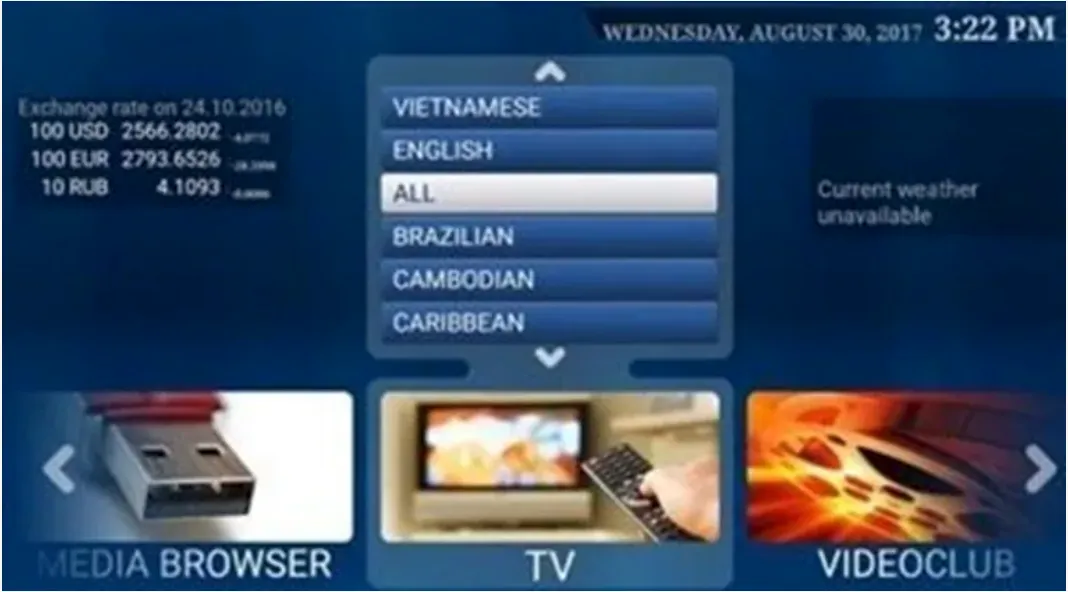
Press back until the portal reloads. Your channel list appears grouped by language and category.
- 9
Fix the screen if it looks cut off
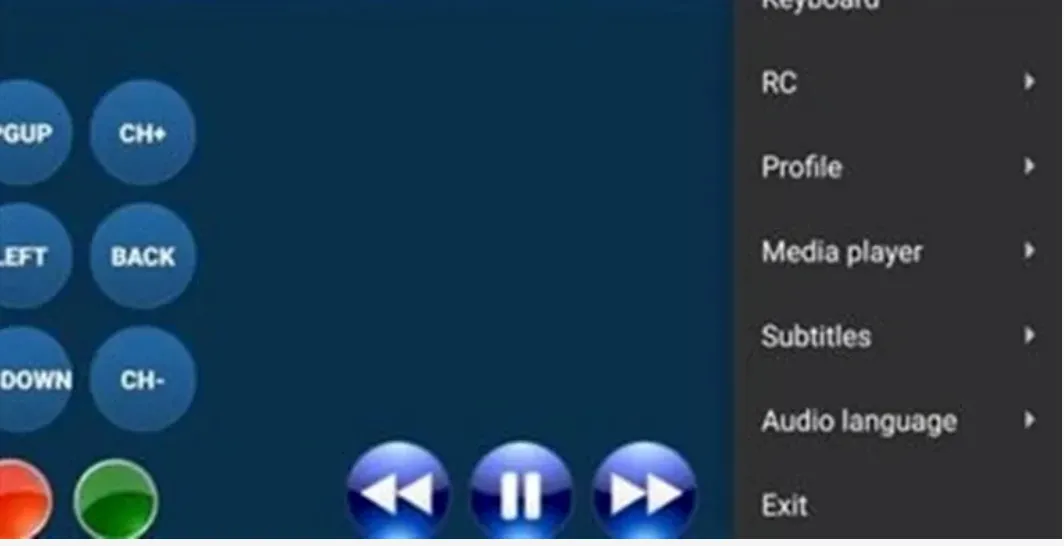
Press the Menu button and open RC to bring up the on screen remote. Use it to reach any button your real remote does not have.
Stuck at any step?
Message us on WhatsApp while you are in front of the TV and we will get you through it. Most calls take 2 minutes.
WhatsApp 437 979 2576Problems and fixes
The stick is slow and menus lag
Fire Sticks fill up fast. Go to Settings, Applications, Manage Installed Applications and clear the cache on the player. Restarting the stick once a week helps a lot.
Downloader will not install the app
Open Settings, My Fire TV, About, then press Select on the device name 7 times. Developer options appears. Open Install unknown apps and switch Downloader on.
The stream buffers on one channel only
That is a channel side issue and not your connection. Message us the channel name and we will move you to a different source for it.
Everything buffers in the evening
Almost always Wi-Fi. Switch to the 5GHz band or use an ethernet adapter. Fire Sticks have weak antennas and struggle at distance.
Guides for other devices
Not a customer yet?
2 days free with no card. Your login and this exact guide arrive by email within 5 minutes.