About 5 minutes
How to set up IPTV on Android TV or an Android box
Android is the easiest platform for IPTV because the app sits in the Google Play Store. There is nothing to sideload.
This works on Android TV boxes, Google TV, Nvidia Shield and Android phones. Any box with 2GB of RAM or more is fine.
STB Emu on your Android box
Install STB Emu, then follow the screens below to add your portal.
- 1
Search the Google Play Store for STB Emu
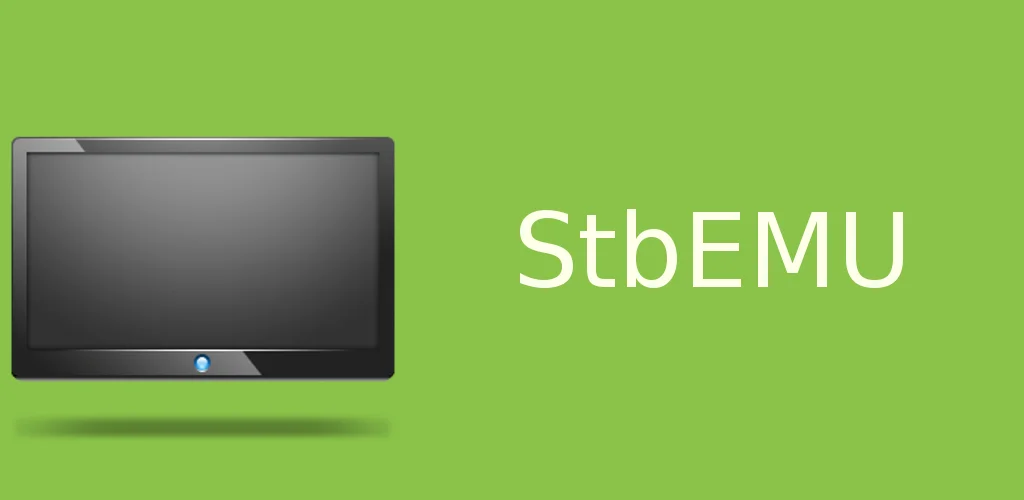
Open the Google Play Store, search for STB Emu and install it. Look for the green icon shown below. Open it once it finishes.
- 2
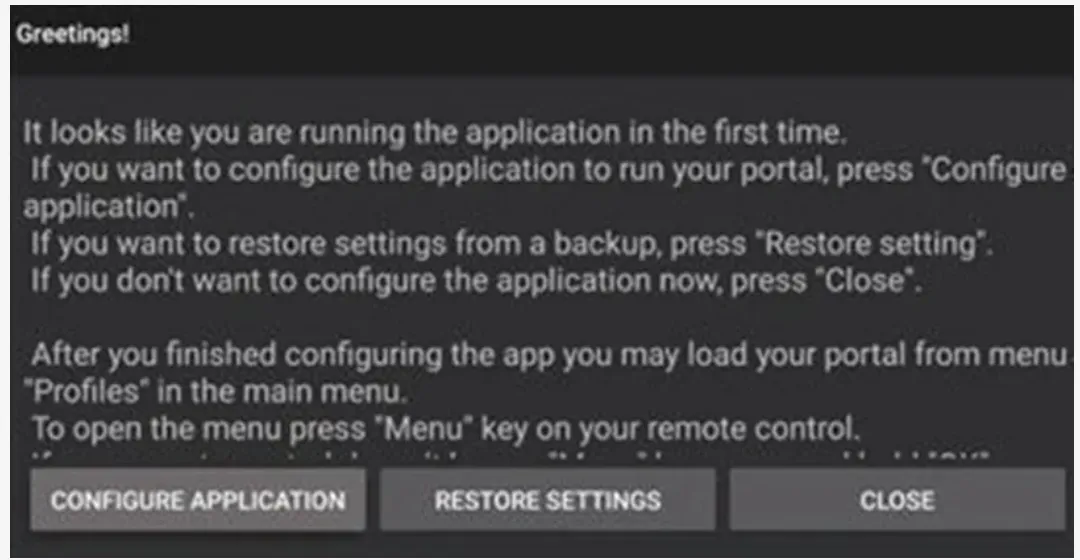
Open the first launch screen
The app opens with a greeting screen. Press Close because we will set the portal up from the menu.
Note: To open the menu at any time, press the Menu button on your remote. It is the button with 3 horizontal lines.
- 3
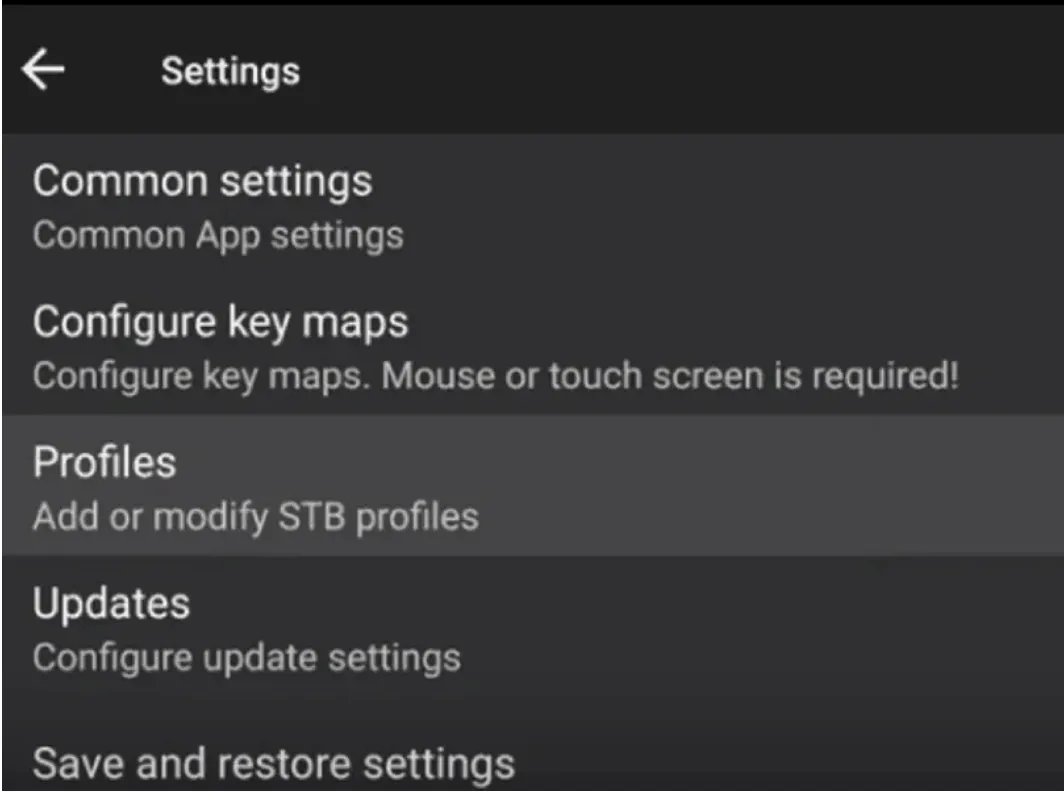
Open Settings and choose Profiles
Press the Menu button, open Settings and select Profiles. This is where your portal lives.
- 4
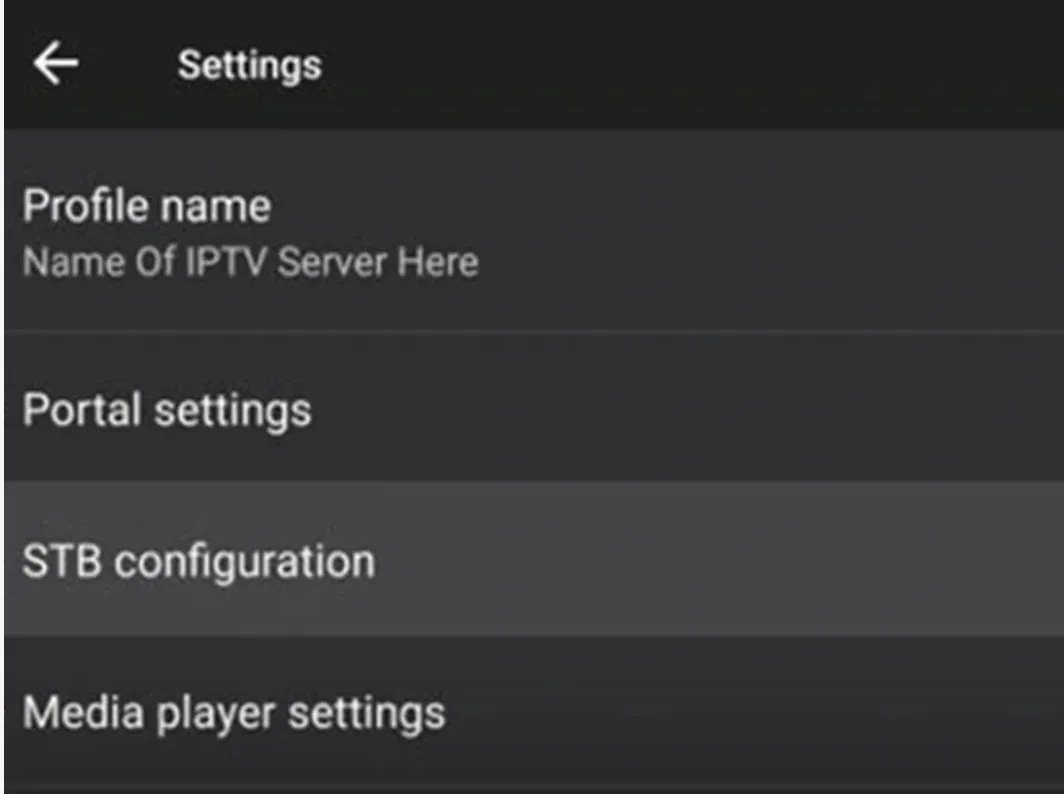
Open STB configuration
Inside your profile, select STB configuration.
- 5
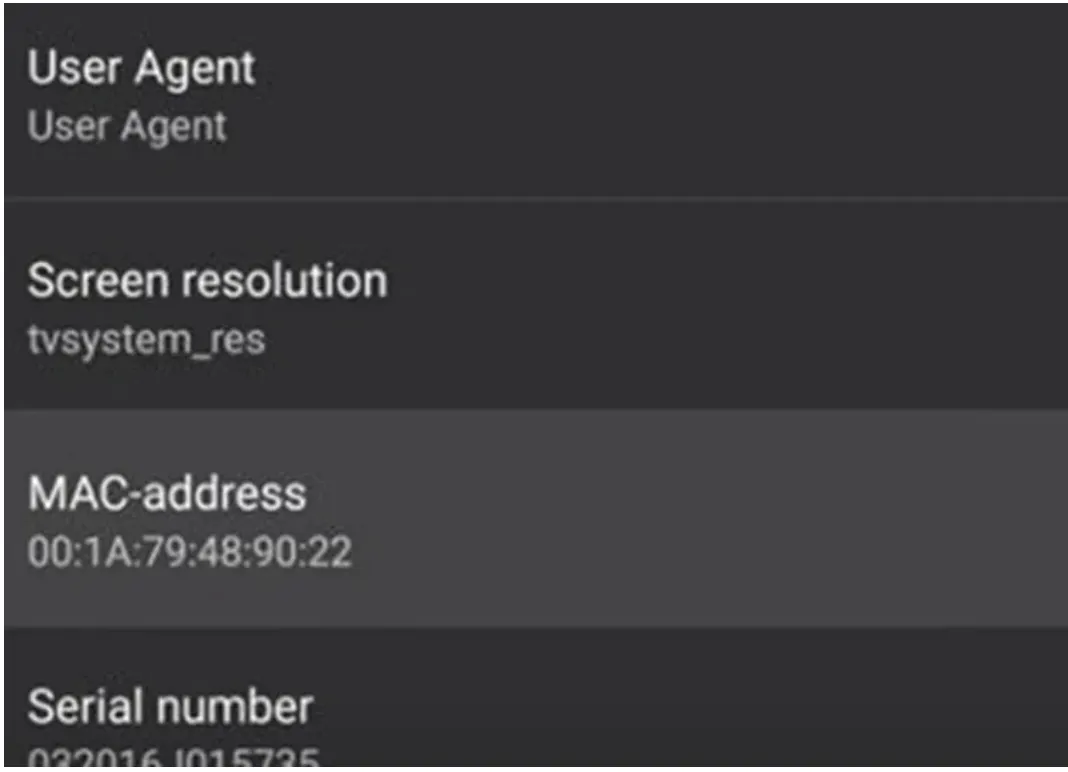
Send us your MAC address
Find the MAC address and send it to us on WhatsApp. It starts with 00:1A:79. We activate your line against that address.
- 6
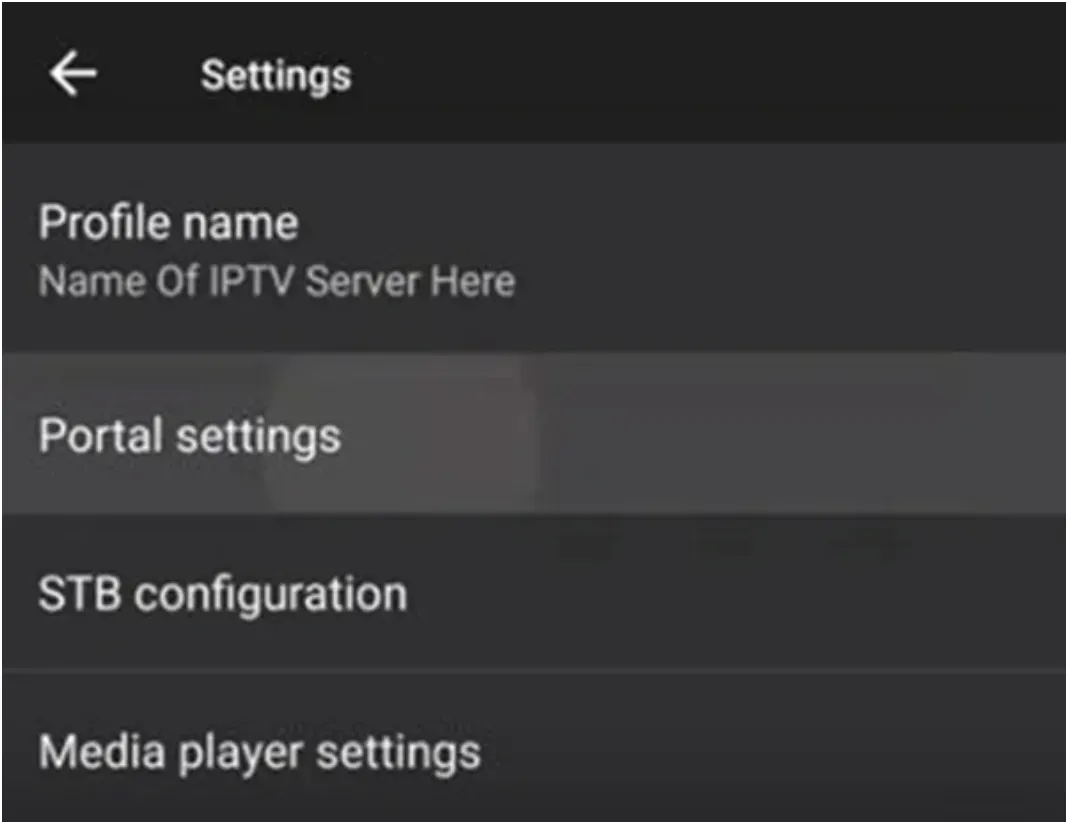
Go back and open Portal settings
Press back to return to the profile menu, then select Portal settings.
- 7
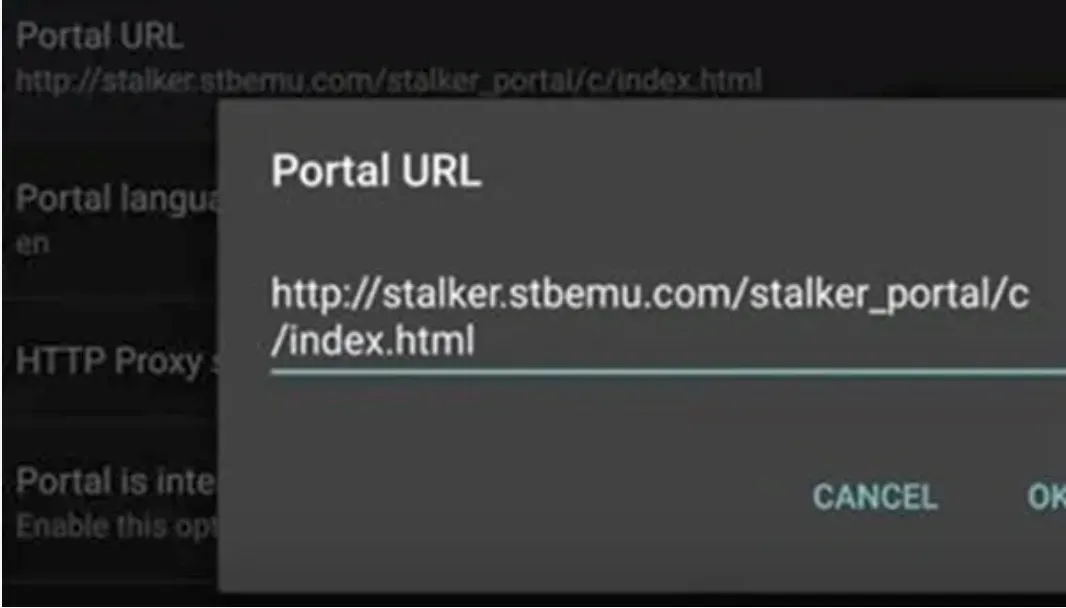
Enter the portal URL
Select Portal URL and type the address we sent you. Press OK to save it.
- 8
Load the portal
Press back until the portal reloads. Your channel list appears grouped by language and category.
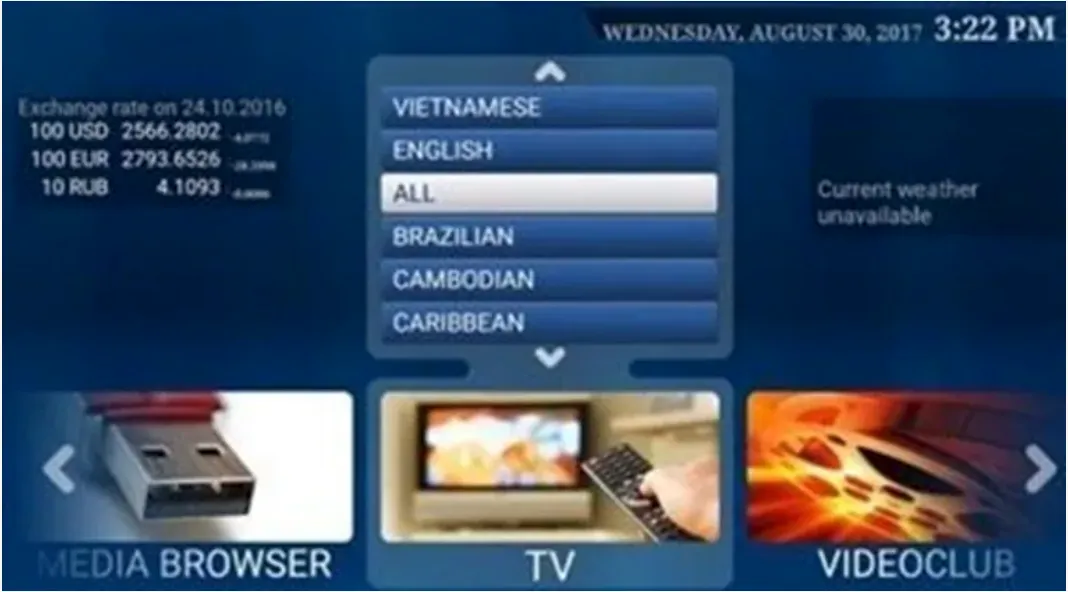
- 9
Fix the screen if it looks cut off
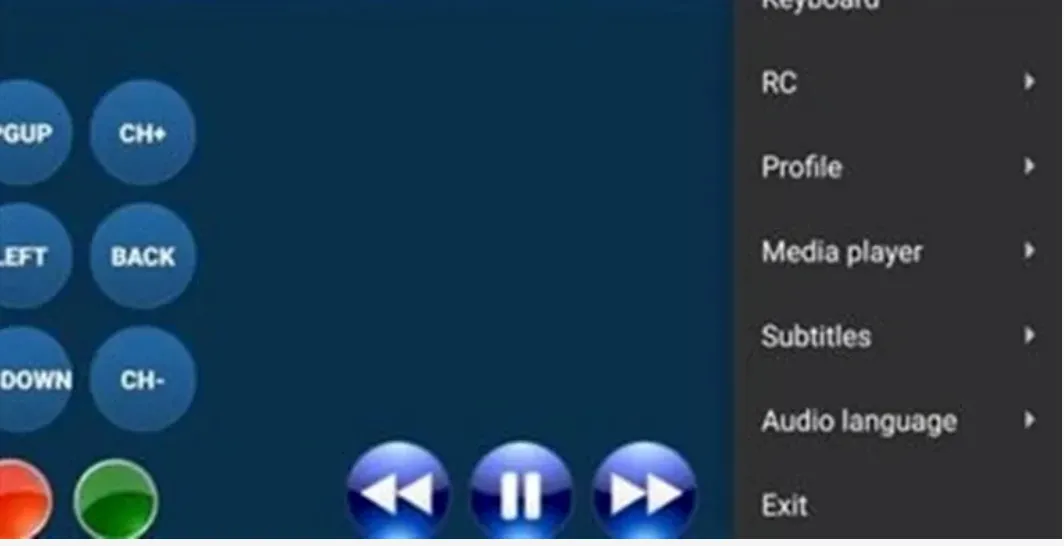
Press the Menu button and open RC to bring up the on screen remote. Use it to reach any button your real remote does not have.
Stuck at any step?
Message us on WhatsApp while you are in front of the TV and we will get you through it. Most calls take 2 minutes.
WhatsApp 437 979 2576Problems and fixes
The picture stutters on 4K channels
Switch the decoder to hardware in the player settings. If it still stutters your box may not handle 4K, so use the HD version of the channel.
The app crashes on opening
Clear the app cache in Android settings, then reopen. If it keeps happening the box is likely low on storage.
Audio is out of sync
Most players have an audio delay setting. Nudge it by 100 milliseconds at a time until it lines up. It usually only affects one channel.
The box is old and everything is slow
Anything under 2GB of RAM will struggle. A cheap new Android box or a Fire Stick will cost less than a month of cable and fix it completely.
Guides for other devices
Not a customer yet?
2 days free with no card. Your login and this exact guide arrive by email within 5 minutes.